# Django Templates, Context, Template Tags and filters
When working with web frameworks at some point rendering data directly through your controller or views is not efficient. Let's take an example of code snippet from our first article in this series [Django Setup, Architecture and Hello World](/django-setup-architecture-and-hello-world) which looks like
```
from django.http import HttpResponse
def hi_view(request):
response = """
Hello world
"""
return HttpResponse(response)
```
Here we trying to send whole bunch of HTML code from the views itself. This might look easy and so clean to see in this example but trust me as your project grows up and when you will have 100's and 1000's of HTML code this method will be pain and unmanageable.
So how do we write templates in a manageable way and make it dynamic as well? The answer is through the help of `Template System` provided by the framework.
### Django Template
- A template can have some static HTML parts and some dynamic content to be inserted in between the HTML
- A very efficient and convenient way of generating HTML dynamically
- Django has built-in backend for its own template system which is called `Django Template Language (DTL)` and also for the popular alternative `Jinja2`
> For the sake of simplicity we will be using `Django Template Language (DTL)` which is preconfigured on `settings.py` when creating our project using `django-admin` command line utility `i.e: django-admin startproject project_name`
> You may have already heard about `Jinja` if you are from the `Flask` background. Let me know through `RFA form or comments` if i should make some tutorial on `Jinja`
### So where are template engine configured?
If you open up your `settings.py` file or if you followed me through [Django Setup, Architecture and Hello World](/django-setup-architecture-and-hello-world) then you will find your `settings.py` file under `meme/settings.py` since we created `meme` django project you will see something like
```
TEMPLATES = [
{
'BACKEND': 'django.template.backends.django.DjangoTemplates',
'DIRS': [os.path.join(BASE_DIR, 'templates')]
,
'APP_DIRS': True,
'OPTIONS': {
# .... many options here ...
},
},
]
```
You can see `BACKEND` key which points to dotted path for `DjangoTemplates` and other settings there like `DIRS` where the template engine will look for the html files
### Let's get to know last checklist before we jump in
- To pass any value `(some dynamic contents like blog post, user info fetched from the DB e.t.c)` from view `(view function)` to the template `(html files)` we pass it as `context`.
- `Context` means a plain `dictionary` of key and value `(K:V)` i.e `{'name':'John'}`
- You can always provide as much template directory on your `settings.py` under `TEMPLATEs`-->`DIRS`
- Since `APP_DIRS=True` in our above settings, the template finder will search inside our `INSTALLED_APPS`-->`templates/` folder as well.
- So this means, you can add your templates under the directory provided in `DIRS` or under `templates/` directory under your `app folder`
> So, where should i actually put my `HTML files`? The simple answer is if your `HTML file` is is for local app use only then put it inside `templates/` folder of your apps or else if the `HTML file` is used globally in all your apps then put it under the `DIRS` folder which is usually `templates/` folder inside your project directory
### Loading and rendering a template
First let's create a simple template under our `DIRS` directory or under `templates/` inside our app.
To make it more clear, lets create a new app named `smile` through help of dango command `python manage.py startapp smile` and register this app to the `settings.py` file and as soon as you register your app create `templates` folder inside your app and create a `HTML file` `smile.html`
> We created a new app, so do you remember as soon as we create a new app we need to add this to the `INSTALLED_APPS` on our `settings.py` file
Under your `smile/templates/smile.html` or if create any `HTML file` you like.
```
Today's special joke
{{ joke }}
```
But, whats the `{{ joke }}` thing inside this `HTML file`. This is a way to insert dynamic content to the `HTML file`. This dynamic content or values are sent from `views` in the form of `context` we talked earlier
> If your template doesn't have any dynamic contents to be inserted then that's fine as well, many of your page can have a static HTML as well
So, lets use and render this templates `create a view function`
```
# views.py
from django.http import HttpResponse
from django.template import loader
def joke_view(request):
# load the template that you just created
template = loader.get_template(template_name='smile.html')
# create context
context = {
'joke': 'This is really funny joke !!'
}
result = template.render(context, request)
return HttpResponse(result)
```
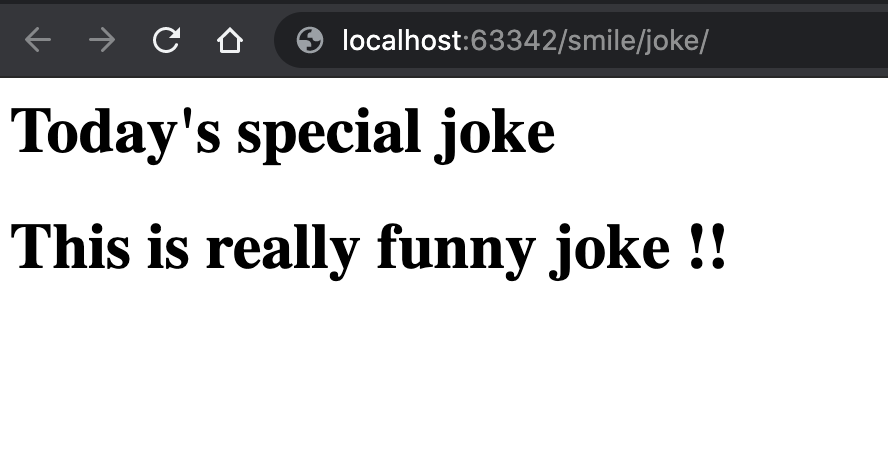
Now, quickly create up a URL path for this view functions like we did on our previous tutorial and you should see something like this when you visit your URL
### But wait, there are shortcuts for easy rendering of templates
The `view function joke_view()` we just created can also be written as
```
from django.shortcuts import render
def joke_view(request):
# create context
context = {
'joke': 'This is really funny joke !!'
}
return render(request,
template_name="smile.html",
context=context)
```
### More on Context rendering and working with Templates
#### Variables
- Outputs/prints the value from the context
- Variables are surrounded by `{{ }}` `(just like we did it just above)`
##### Examples
Lets assume HTML template to be `Hi, i am from {{ location }} and i love {{ lang }}.`
So,
- `context={'location':'Earth','lang':'Python'}` on this HTML template would render to `Hi, i am from Earth and i love Python.`
- `context={'location':'Mars','lang':'Javascript'}` on this HTML template would render to `Hi, i am from Mars and i love Javascript.`
#### Tags
- A tag can be used to output content
- It can be used to perform control structure `i.e: if/else, loops`
- It can do many things to make your template dynamic
- Tags are surrounded by `{% %}`
- Some tags require ending tags where as some doesn't need it
- `{% csrf_token %}` has no ending tag
- `{% if user.is_authenticated %}Hello, {{ user.username }}.{% endif %}` has ending tag
##### Examples
- `for` loops over each item in an array
```
{% for language in language_list %}
{{ language }}
{% endfor %}
```
where `language_list` is a iterable sent from view function as a context
- `if`
```html
{% if language_list %}
Number of language: {{ language_list|length }}
{% else %}
No Languages found.
{% endif %}
```
it even supports `elif` don't forget to try it
- `now` displays current date and/or time
```
It is {% now "jS F Y H:i" %}
```
#### Filters
- Filter transform the values of variables and tag arguments
##### Examples
- `add` adds the arguments to the value
```
{{ number|add:"10" }}
```
would output 100 if the value of number is 90. The value of number is sent as context
from the view function as `context={'number':90}`
- `capfirst` capitalizes the first character of the value
```
{{ name|capfirst }}
```
- `default` provides a default value if existing value evaluates to False
```
{{ country|default:"Not Selected" }}
```
If country is empty `"" (empty string)` then output will be Not Selected
#### Comments
- Comments are placed in `{# #}` which are not rendered on templates during rendering process
##### Examples
```html
{# this is a comment and will not be rendered #}
```
### Last Note
We looked into `tags` and `filters` and saw some examples. I tried to make it easy as possible and lastly want to let you know there are so many builtin tags and filters inside django. Please have a look into official django docs [https://docs.djangoproject.com/en/3.2/ref/templates/builtins/](https://docs.djangoproject.com/en/3.2/ref/templates/builtins/) to see the complete list.
> You can always create your own template tags and filter, trust me they make working with templates very easy